Every game here was designed for touch alongside keyboard, not converted afterwards. Here is what that means in practice.
The four touch schemes
Swipe — runners
Games: Ninja Dash, Shadow Escape, Shuriken Sprint, Ninja Obstacle Master
Swipe up to jump or change lane up; swipe down to slide or change lane down. A short tap also jumps, which matters more than it sounds — in a panic, most people tap.
A swipe needs about 28 vertical pixels to register, which is small enough to be quick and large enough not to fire on an accidental drag.
Tap — single-input games
Games: Ninja Reflex, Ninja Climb
Tap anywhere on the play area. No aiming, no placement, nothing to hit. These are the two games that work best one-handed.
Hold a half — continuous movement
Games: Shadow Jump, Mystic Ninja, Ninja Coin Rush
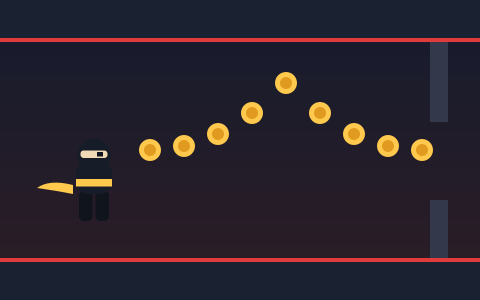
Hold the left or right half of the play area to move in that direction — or, in Ninja Coin Rush, the top or bottom half to rise and descend. Sliding your finger across the midpoint switches direction without lifting.
On-screen buttons appear as well, so you can use whichever you prefer.
Press and hold — charge games
Game: Rooftop Ninja
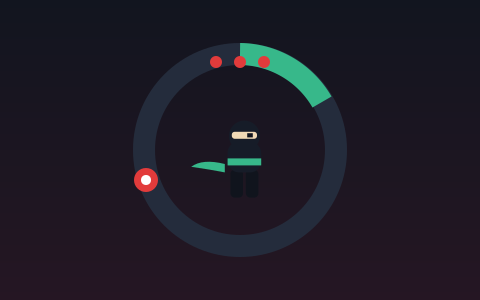
Press and hold anywhere to charge, lift to jump. The dotted arc shows where the current charge will land you.
Why a swipe cannot give you a held jump
A swipe has a beginning and an end. There is no way to swipe and keep holding, which means the variable jump height a keyboard player gets for free is unavailable to a swiping player.
This is handled in level design rather than in the controls. In Ninja Dash, gaps are capped at 62% of the un-boosted jump's reach, precisely so a swipe always clears them. Holding is a bonus for coin arcs, never a survival requirement.
If you do want the extra height on a phone, use the on-screen Jump button — it supports holding.
What stops the browser stealing your gestures
By default a swipe up scrolls the page and a double tap zooms. Both would make these games unplayable. Two things prevent it:
.game-stage { touch-action: none; }plus suppressing default behaviour on the relevant pointer and key events while a game is running. The effect is that gestures inside the play area belong to the game and gestures outside it still scroll the page normally.
Button placement and adverts
On-screen buttons sit in the bottom corners at 72 pixels across — comfortably above the 44-pixel minimum that touch guidelines recommend — and are semi-transparent so they obscure as little as possible.
Nothing important is ever drawn beneath them, and no advertising is placed over, beside or beneath a game control. A player reaching for a jump button and hitting an advert is both a bad experience and, in advertising terms, an invalid click. Ad slots on this site sit outside the play area entirely.
Practical tips for playing on a phone
- Landscape is better for runners. More horizontal space means more warning before an obstacle arrives.
- Portrait is fine for the tap games. Ninja Reflex and Ninja Climb work in either orientation.
- Turn off Low Power Mode if runs feel choppy. Phones throttle aggressively, and these games are frame-rate sensitive by nature.
- Close other tabs. A browser game shares the device with everything else open.
- Use the on-screen buttons for precision. In Mystic Ninja, buttons are more precise than screen halves when a jump has to be exact.
Key takeaways
- Four schemes cover every game: swipe, tap, hold-a-half and press-and-hold.
- A tap also jumps in runner games, because panicking players tap.
- Swipes cannot express a held jump, so nothing required for survival needs one.
touch-action: noneon the play area stops the browser stealing gestures.- Buttons are 72 pixels and corner-placed, and advertising is never placed near a control.
Frequently asked questions
Can I play Ninja Arcade games on a phone?
Yes, all ten. Each has a touch scheme designed alongside its keyboard controls.
Why does the page scroll when I swipe?
If it scrolls inside the play area, the gesture started outside it. Begin the swipe within the game frame.
Which ninja games are best on mobile?
The single-input ones — Ninja Reflex and Ninja Climb — because a tap anywhere works and nothing needs precise finger placement.
Do I lose anything playing on touch instead of keyboard?
Only the held jump, and no game requires it to survive. Coin arcs may be slightly harder to reach unless you use the on-screen Jump button.
Ready to put this into practice?
Everything above is easier to feel than to read about. Open the game and try one run with just one of these ideas in mind.